Grocery ordering software: a buying guide for independent retailers
An online grocery shop needs to fit your catalogue, staff and fulfilment area. Use this guide to assess the customer journey, store operations and launch scope before choosing a system.
A customer places an order in the evening. The next morning, someone in the store needs to find it, pick the items and arrange collection or delivery. If an item is unavailable, the team needs a clear way forward. This connection between the customer journey and the shop floor is where a useful software evaluation starts.
For an independent supermarket, a neighbourhood grocer or a specialist food retailer in Europe, an attractive catalogue is only one part of the decision. The ordering system must also fit the people who maintain products and fulfil orders.
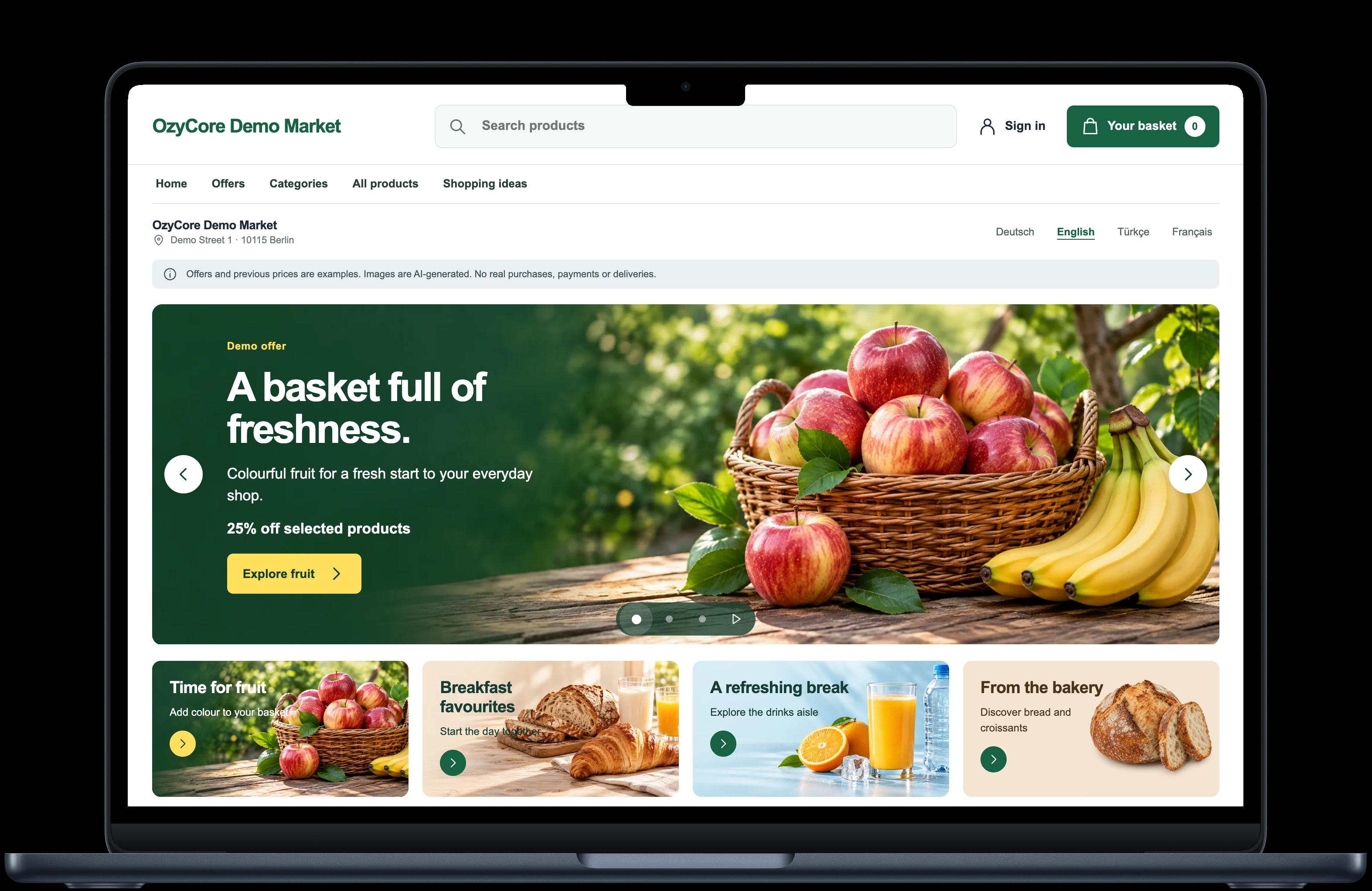
OzyCore Market Suite brings a web shop and iOS and Android customer apps together with shared catalogue and order management. The demo guide explains what you can explore yourself and how to request a guided walkthrough.
Your own ordering channel or a marketplace?
Both can have a place in a grocery business. Compare the actual operating model and contract rather than assuming that one approach includes everything.
| Question | Your own ordering channel | Marketplace |
|---|---|---|
| Where does shopping happen? | In a shop carrying your store's name and presentation. | Within the marketplace's customer experience. |
| How do customers find it? | You plan your own entry points, such as your website, in-store signs and existing customer relationships. | You assess the visibility the marketplace actually offers. |
| What needs a budget? | Setup, ongoing operation, support and agreed additions. | Contract-specific fees, services and possible additional charges. |
| Who handles delivery? | Your chosen fulfilment model needs to be configured and staffed. | Responsibility and coverage depend on the provider and agreement. |
A branded shop does not create demand by itself. It provides an ordering destination that you can promote and develop. A marketplace may operate alongside it if your agreements and store processes support that combination.
Five things to inspect during a product demo
1. Product information customers can act on
Ask to see similar items, such as two pack sizes of the same product. Can a shopper distinguish the name, image, quantity, unit and price? What happens when an item cannot be supplied?
Discuss weighed goods, deposits, fresh-counter items and substitutions explicitly. A standard shopping basket does not establish that every grocery-specific exception is supported. Likewise, an existing till or stock system does not imply an included integration.
Bring a small representative product list to the discussion. Include an ordinary packaged item and the exceptions that matter most to your store. That makes gaps easier to identify before a larger catalogue is prepared.
2. Pickup and delivery with practical boundaries
Choose the initial fulfilment model your team can reliably operate. Pickup needs preparation and handover rules. Delivery also needs a service area, timing, fees and someone responsible for getting the order to the customer.
In a guided demonstration, test a suitable case and an unsuitable one: an address outside your intended area, for example, or a requested collection time the store cannot cover. Ask which rules are available and which would require configuration or development.
3. The store's view of the same order
Follow a test order beyond the checkout screen. Who sees it arrive? How does the team recognise the next task? What does the customer see after an order-status change?
Then inspect an exception: an unavailable item, an interrupted step or a customer question. The ability to explain what happened and what to do next matters during a busy shift. A demonstration where every click succeeds leaves those questions unanswered.
4. Language and country requirements
A multilingual store needs more than a translated homepage. Review the basket, address fields, status messages and support journey in the languages your customers use.
The public Market Suite demo can be explored in German, English and Turkish. That helps you assess the experience with different audiences. It does not establish readiness for every European country: local payment methods, currency and operating requirements need to be assessed for each project.
5. A launch scope your team understands
Write down the first store location, initial catalogue, ordering channel, payment method and fulfilment model. Name the person who maintains the products and the person who handles incoming orders. Agree how support, changes and ongoing costs will work.
Customer and driver apps, store publication, card payments and notifications have their own setup and acceptance requirements. A web demonstration or app screenshot is useful product evidence, but it is not confirmation that those services are enabled for your business.
What the OzyCore demo lets you explore
The test shop's catalogue and basket can be viewed without signing in. Test orders and a walkthrough of store operations use a guided demo account. There is no real payment or delivery, and you should not enter real personal information.
Use the Market Suite demo guide to find products, inspect details and build a sample basket. Record the points where your store would need a different rule or workflow. Those observations are more useful than a general impression of whether the design looks familiar.
Bring these answers to the first conversation
- Which locations and pickup or delivery areas should launch first?
- Which product categories and special cases belong in the initial catalogue?
- Who updates products and who processes incoming orders?
- Which languages, payment methods and existing systems are required?
- Which complete workflows must pass a joint test before launch?
With those answers, a demo becomes an assessment of your actual business. Explore Market Suite or request a guided walkthrough through the demo page.