Your grocery store, ready for online orders.
Order online, collect in store or arrange delivery: connect your web shop and native iOS and Android customer apps to one order management platform.
For independent grocery retailers. Start with your products, your brand and a workflow that fits your store. Multiple locations are assessed as a separate project scope.
Try the catalogue and basket without signing in.
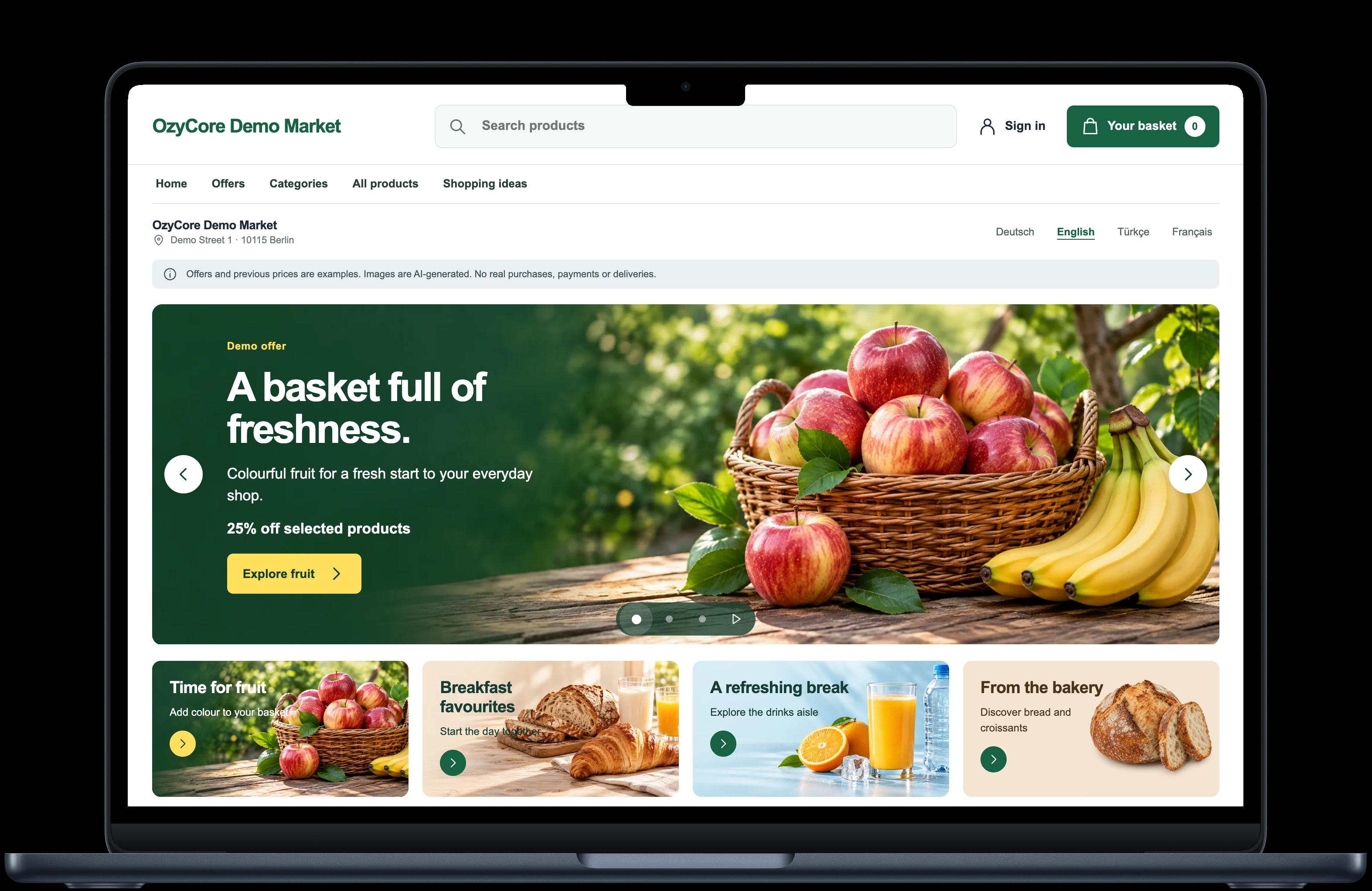
One shopping channel, one shared platform
The web shop is part of Market Suite, using the same catalog, customer and order backend as the apps. The demo is for testing, not real purchases.
Explore categories, open product details, fill the cart, choose pickup or delivery and follow order status.
Browse the catalog and cart without signing in. Guided demo access is available for test orders. Please do not enter real personal data; no real payment or delivery takes place.
Payments, notifications and courier connections are set up for your store and tested before launch.
Open test demoExplore the demoAn ordering channel built around your store
We plan projects with grocery retailers in Germany, Europe and Turkey. Languages, product range and store workflows are agreed before each rollout.
Germany
For supermarkets, neighbourhood grocers and Turkish grocery stores: customers order online and use the pickup or delivery options configured for your store.
Europe
For retailers serving multilingual communities: web and apps share one catalogue. We agree the target country, currency and local requirements during planning.
Turkey
For local grocers: online sales under your own brand. We plan the product range, delivery area and payment options together. Multiple locations are assessed separately.
See Market Suite in action
A look inside the actual web interface and native iOS and Android apps. These captures show the applications with sample data.
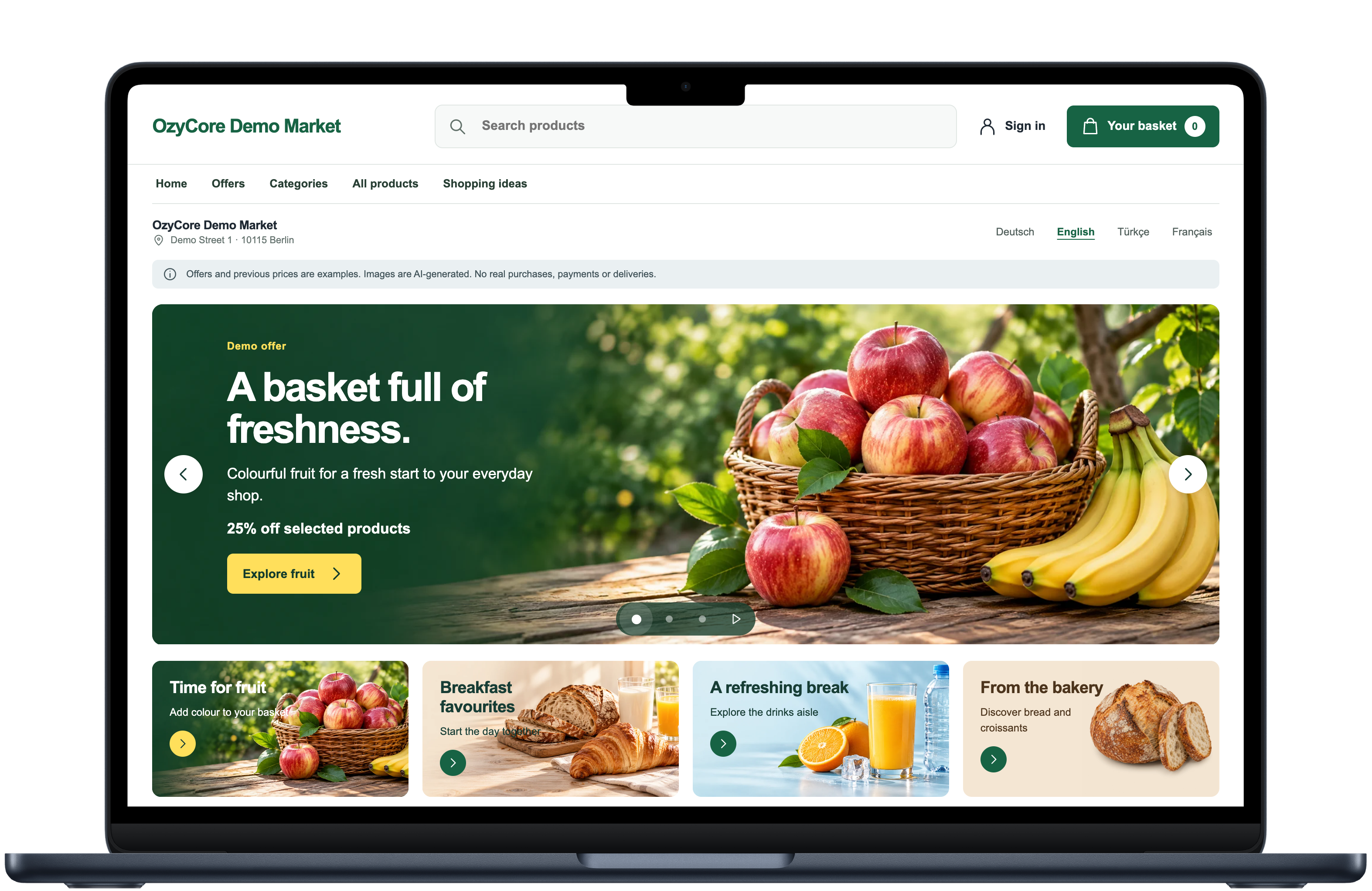
Web · The online store
Campaigns, categories and the basket in the published web demo.
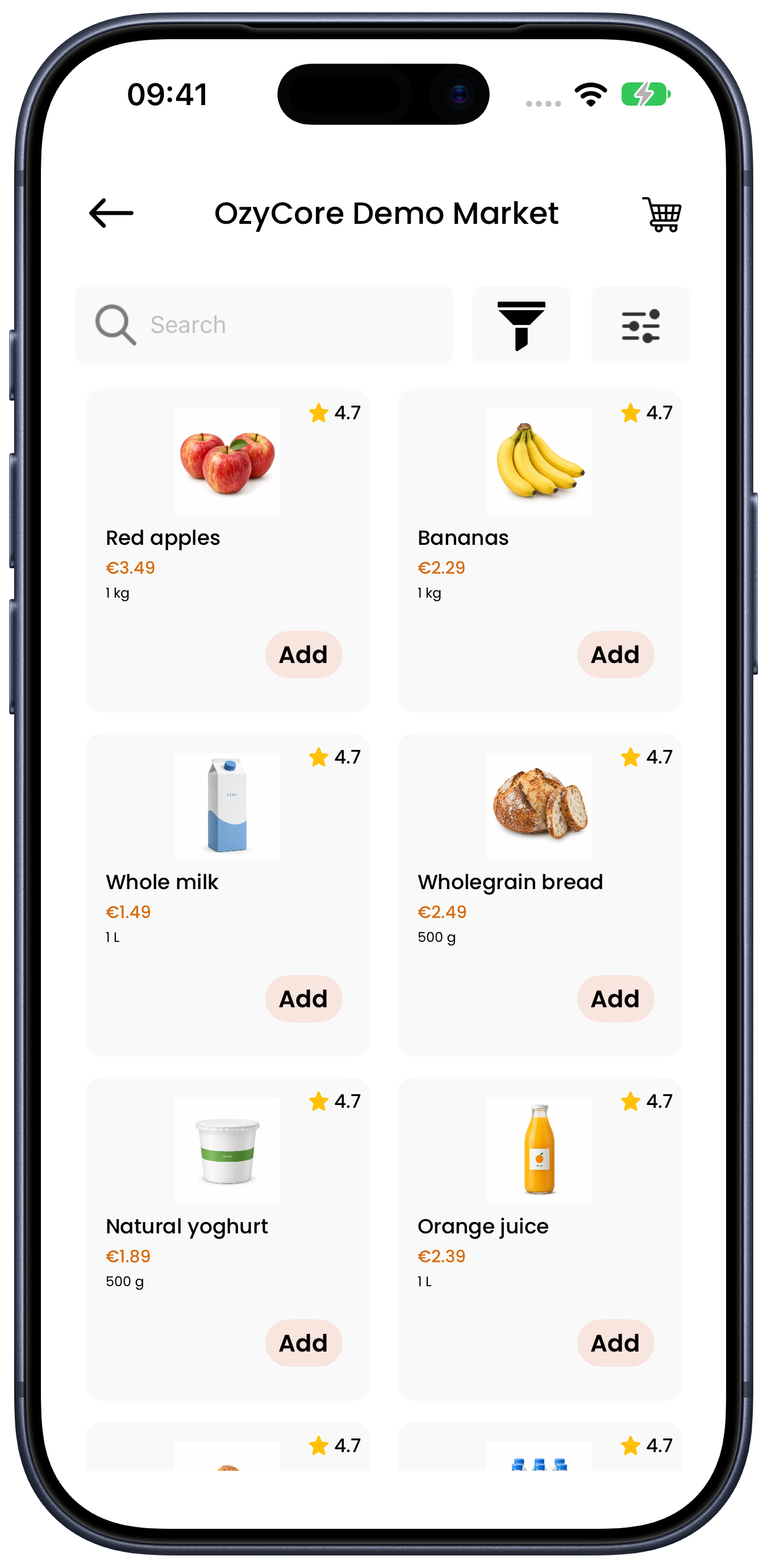
The native apps were captured in a test environment using sample data.
iOS · Discover products
The product catalogue, prices and basket in the iOS app.
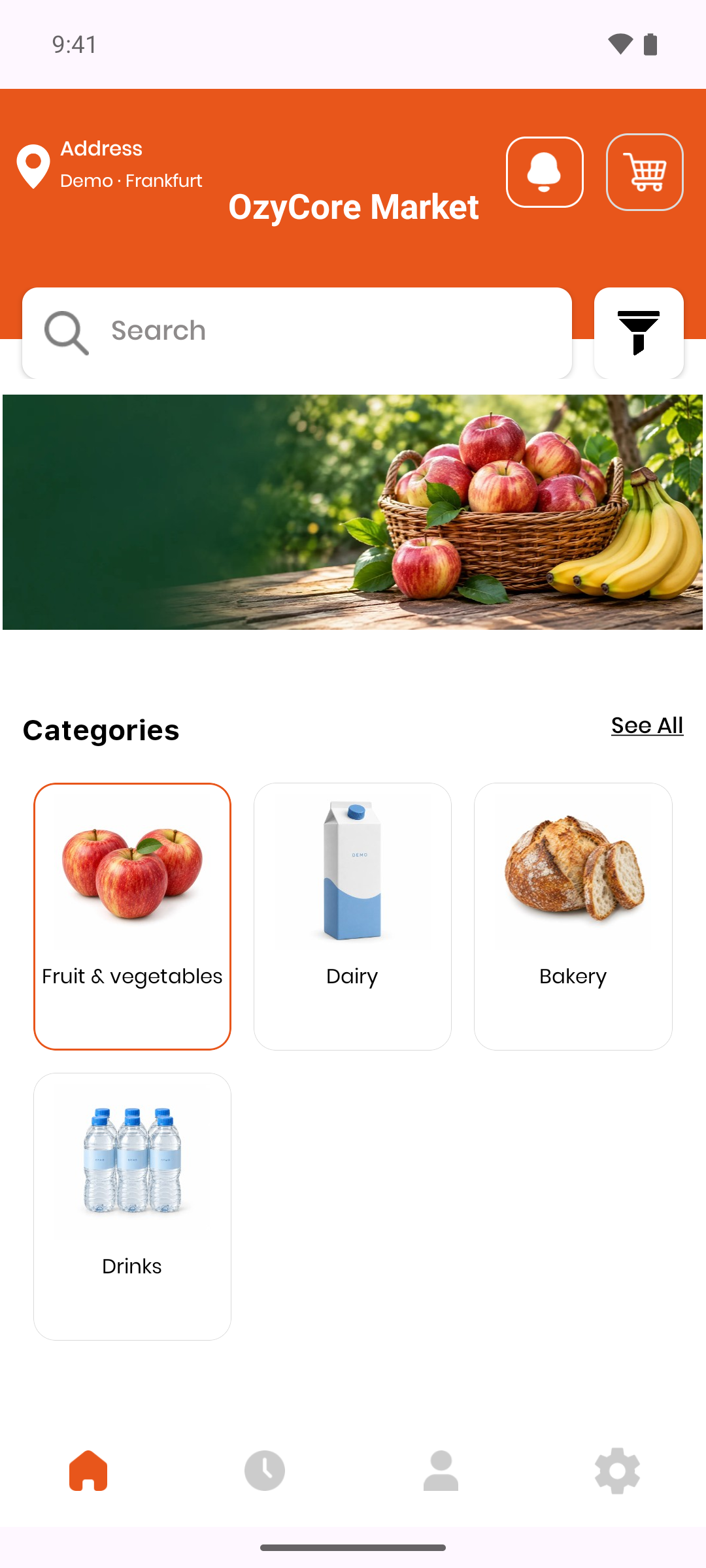
Android · Explore categories
Explore categories and start shopping in the Android app.
Who the Suite is built for
The Market Suite bundles ordering, delivery and back office into one platform — for businesses that want to digitalize their grocery sales under their own brand:
- Supermarkets and grocery retailers that want their own ordering and delivery channel under their own brand
- Operators with several locations who want to assess their requirements first. Cross-store management is planned and tested as a separate scope.
- Delivery services that want to run customer app, driver app and administration in one platform instead of separate tools
- Founders and companies that want to launch a delivery or pickup platform without years of in-house development
Four building blocks, one platform
The web shop is part of Market Suite, using the same catalog, customer and order backend as the apps. The demo is for testing, not real purchases.
Web shop & customer apps
Browser · iOS & AndroidBrowser shopping complemented by native customer apps on the same product platform.
- Categories, product details and cart
- Pickup or delivery according to store configuration
- Follow order status; payments and notifications are agreed before launch
Driver app
iOS & Android, nativeNative driver apps are part of the product. Their connection is not yet ready for live deliveries.
- Order acceptance and delivery status are part of the planned setup
- Maps and navigation are configured for your operation
- Notifications and real devices are tested before launch
Store panel
WebYour store workspace: manage the catalogue, orders and pickup or delivery times.
- Manage products, categories and orders
- Set opening hours and time slots
- Maintain delivery conditions and store details
Shared management
Web shop & appsThe shared foundation for the web shop and apps: catalogue, customers and orders.
- Shared product and order data
- Customer support and order status
- Protected access for your store team
White-label through configuration — not code copies
Each brand is created from a brand kit and a tenant configuration. The code remains one shared, maintained base — what changes is:
Brand kit
Name, logo, app icon, splash screen plus primary and secondary colors per brand.
Language, currency & country
Default language, currency and target market are set per tenant.
Delivery modes
Delivery, pickup or both — configurable per brand.
Payment methods
Payment methods are planned per brand; card payments and payment providers remain disabled until separately activated and tested.
Domain & API
Domain and API are configured for the approved installation.
Legal pages
Terms and privacy URLs are configured per brand.
How the rollout works
From the first call to go-live, every market launch follows the same documented path:
Requirements & brand kit
We capture target market, brand assets and configuration preferences with a structured onboarding checklist.
Configure the tenant
Language, currency, delivery and payment modes, domain and API endpoints are set for your brand.
Builds & tests
Apps and back office are built and verified with the established build and test routines.
Go-live & operations
Launch follows a go-live checklist; afterwards we support operations and further development.
Technical details for your IT team
The web shop and native apps use a shared platform. Technical setup and testing are agreed as part of the project scope.
Native apps
Web shop, back office & API
Configuration & approval
Frequently asked questions
What exactly is the OzyCore Market Suite?
OzyCore Market Suite is white-label grocery ordering software for food retailers. It connects a web shop, native iOS and Android customer apps, a store panel and an admin back office for the catalogue, basket, orders and status tracking.
How does the white-labeling work?
Your brand is created through a brand kit and a tenant configuration: name, colors, logos, language, currency, delivery and payment modes plus domain and API settings — instead of a code copy per customer.
Which delivery and payment options are supported?
Pickup or delivery according to store configuration. Payment methods are planned per brand; card payments and payment providers remain disabled until separately activated and tested.
Are the apps native?
Yes. The iOS and Android customer apps are native applications; the gallery shows actual interfaces with sample data. This does not imply an App Store or Google Play release. Notifications, maps and courier connections need setup and testing on real devices before your store goes live.
Can I see the platform in advance?
Yes. The public web demo lets you explore the catalogue and basket without signing in. With a personal, guided demo account, you can place a test order, see its confirmation in the store panel and follow its status as a customer. Please do not enter real personal details; there are no real payments or deliveries.
Which businesses is Market Suite designed for?
Supermarkets and food retailers that want to offer ordering under their own brand. The starting scope is one store. Multiple branches and shared operations need separate planning and acceptance testing.
What does a good online grocery store need?
Catalogue, pickup, delivery and costs: use our buyer’s guide to compare ordering systems against your daily store operations.
Read the grocery retailer’s guideYour brand, your platform
Tell us about your market — we will walk you through the Market Suite in detail and plan your rollout together.
Request a project